
Adding Your ChinesePod RSS feed to iTunes: Step-by-Step guide
You can study your ChinesePod lessons on the web, on our iOS and Android apps, or you can add an RSS feed to your favourite RSS reader such as iTunes.
In this step-by-step guide, I will explain how you can study your lessons on iTunes and the Official Podcast app by Apple.
If you have a Basic or Premium subscription, you have access to your own customisable iTunes RSS feed. These feeds make downloading lesson content from your dashboard a breeze and available to study on your iOS device, including PDF transcripts and audio review exercises.
Customize your feed
Firstly, navigate to your settings page via https://chinesepod.com/dashboard/feedsettings/
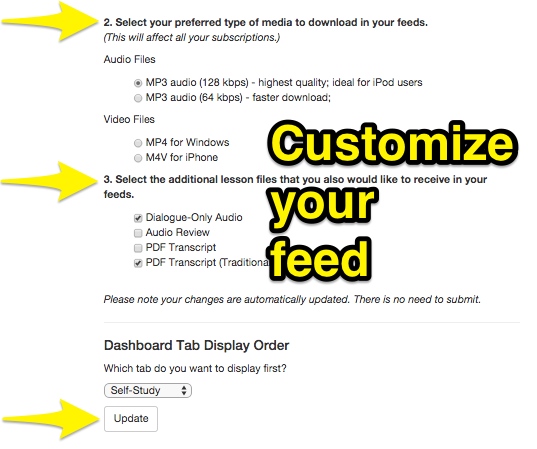
Here you can customise how your feed will look on iTunes such as;
- Which shows/levels you would like in your feed
- Audio quality (high quality or standard quality)
- Lesson files (Full lesson/dialogue file/audio review/PDF transcripts)*
As you update these settings, your RSS feed will automatically adjust, to give you the content you want.
How to add the RSS feed to iTunes
on mac:
Once you have copied the custom RSS, open iTunes and navigate to File > Subscribe to Podcast. 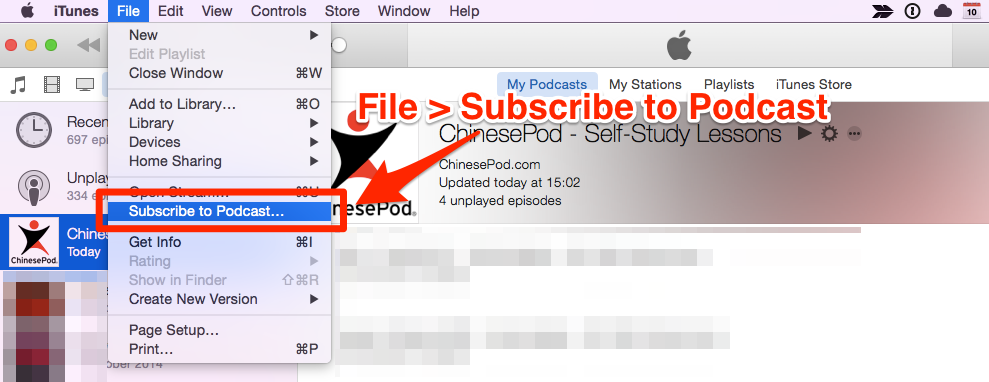
On Windows


Paste feed here and click ‘OK’
You will then see your feed here. Click ‘Feed’ to view all the lessons in your course/self-study feed. You can click the gear icon to get more settings.
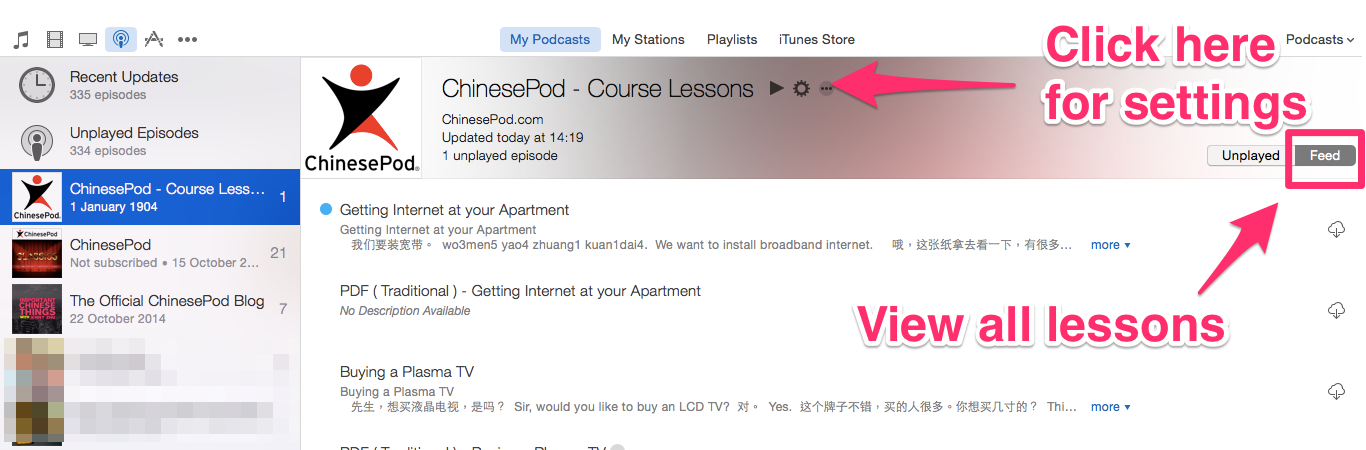
View all lessons in your iTunes feed
Getting it on your iOS device
Download the podcast app. Navigate to podcast settings and make sure the ‘Sync podcasts’ button is on.
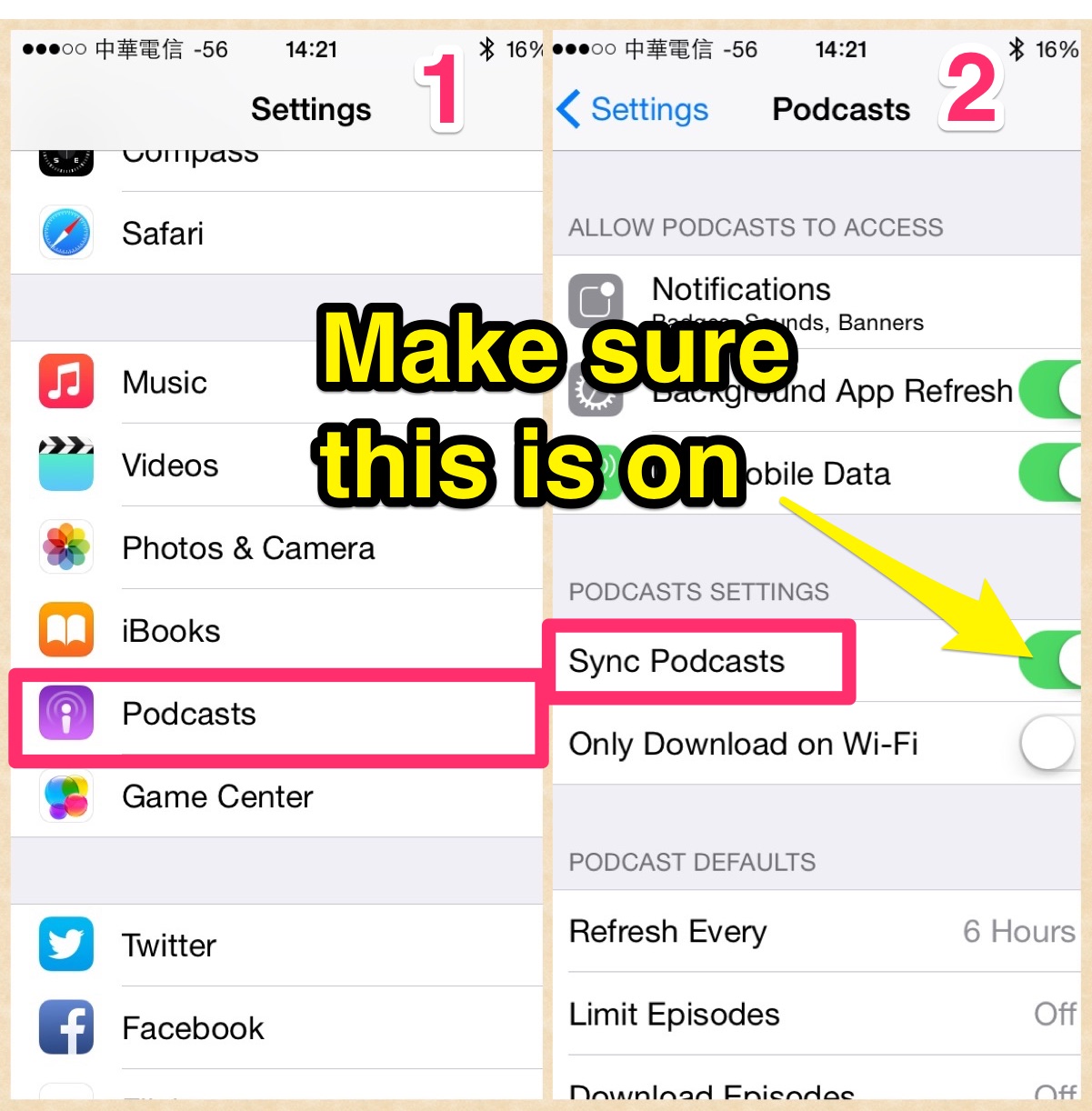
Check settings to make sure you have automatic syncing between iTunes and the Podcast app.
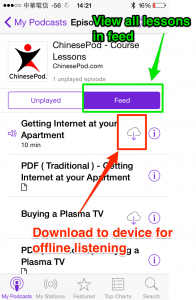
You will then see the feed on your iOS device. You can click the cloud icon to download the podcast/PDF to your device for offline listening.
If you have any questions, feel free to get in touch at support@chinesepod.com
*Basic subscribers can only get access to the main lesson content and PDF transcript.


Gwilym James
Latest posts by Gwilym James (see all)
- You’ll Crack Up Seeing How Independence Day 2 Translates to Mandarin - June 15, 2016
- How Do You Say Jurassic World in Chinese? - June 4, 2015
- Riding the Subway in Chinese with Fiona Tian - June 2, 2015


Carl Hoopingarner
November 19, 2014 @ 5:18 pm
Thanks, this was helpful.